Write and test FTC Java code without needing a robot. Configure a simulated hardware map, check
motor and servo commands, then export or copy your code into OnBot Java.
No downloads or installation required to get started. No Android Studio. No account
required. Perfect for beginner FTC teams.
FTC JAVA
EDITOR01 / CODE
hardwareMap.get(DcMotor.class, "leftDrive")Use the same hardwareMap lookups as
OnBot Java.
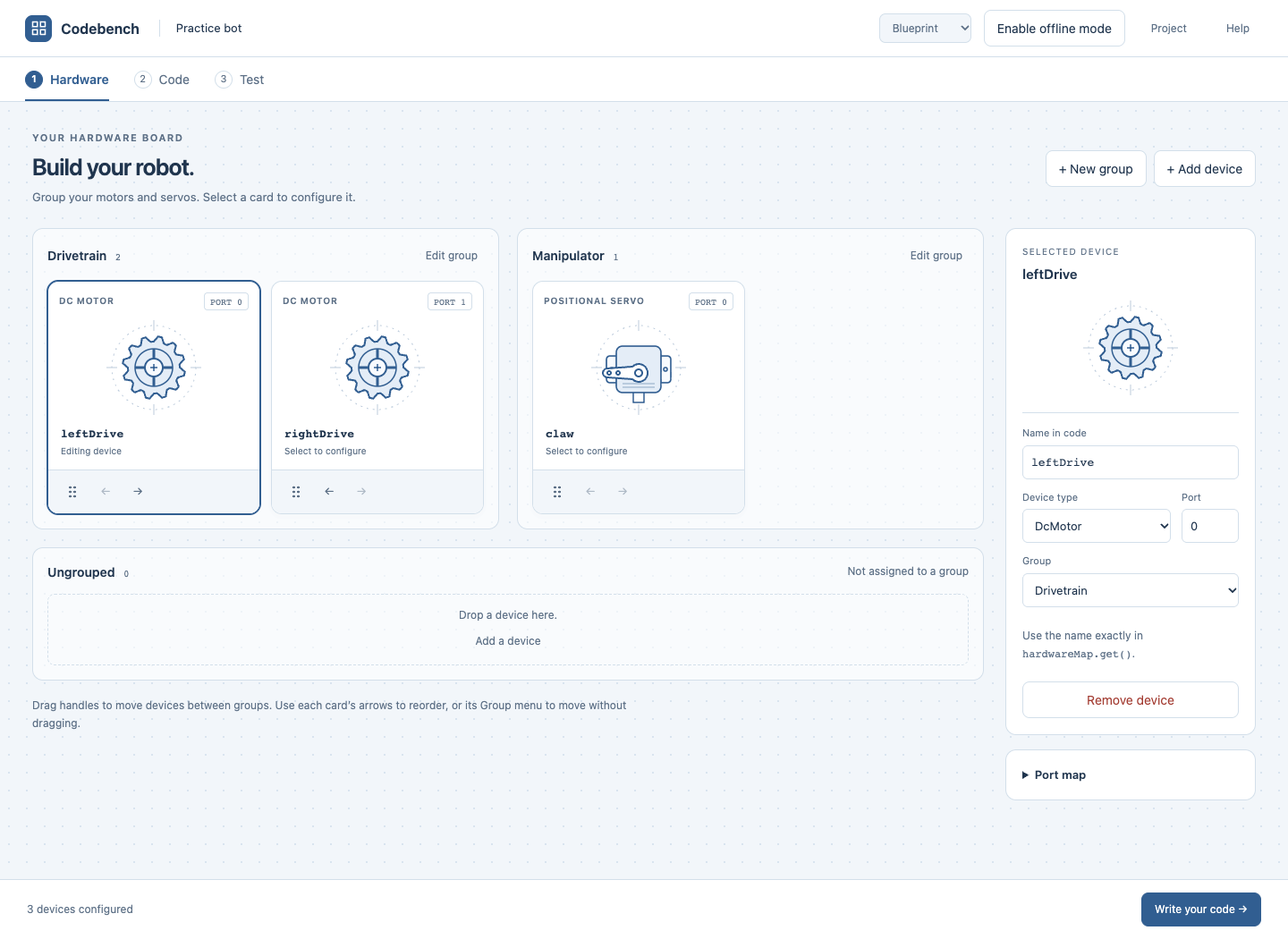
01 / HARDWARE
Simulate your robot’s hardware map.
Configure motors and servos just like you would on your robot controller. Use those names in
hardwareMap lookups just like OnBot Java.
Motor, positional servo, and continuous-rotation servo supported.
Configure simulated devices with the names your Java code expects.
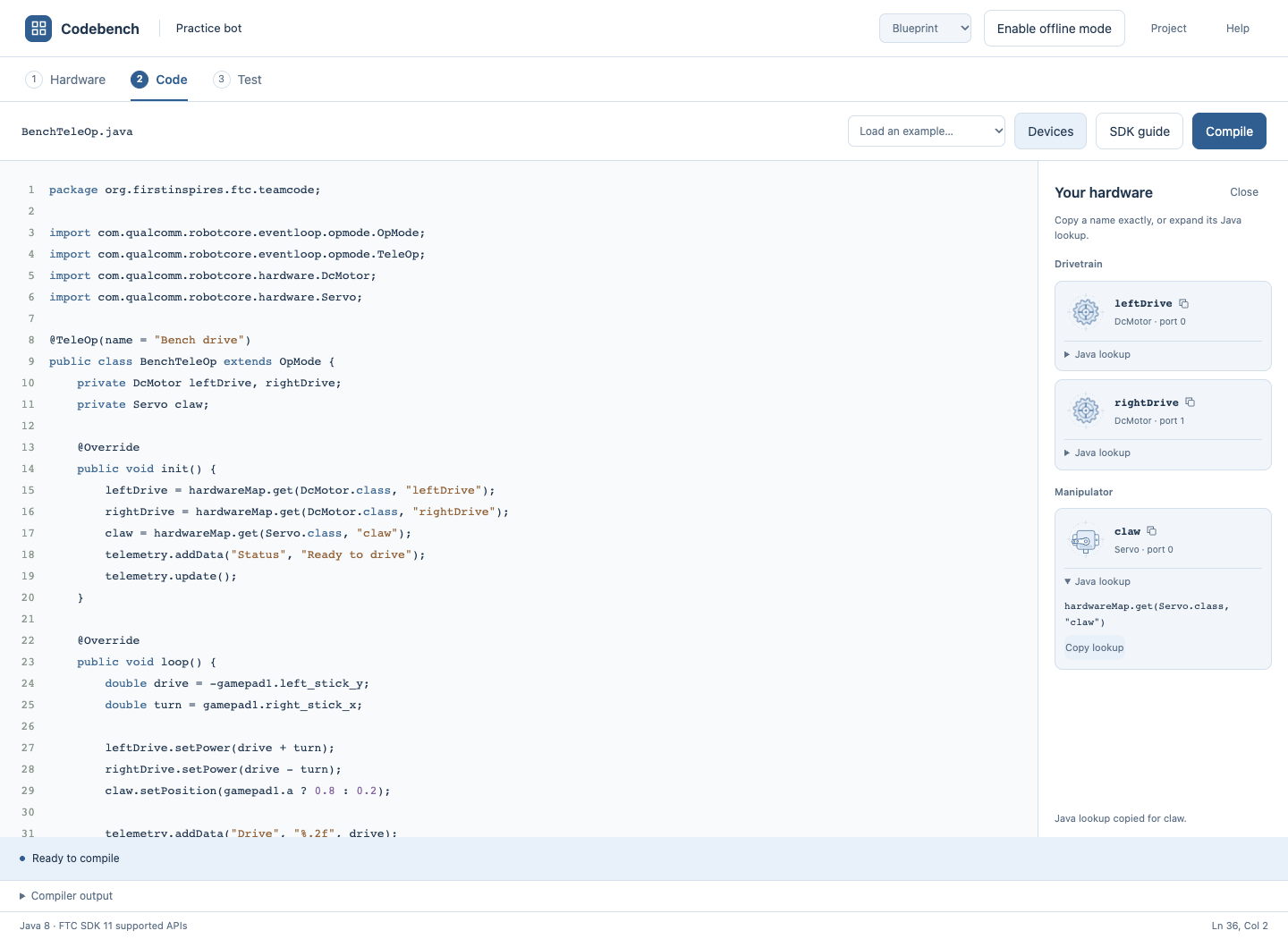
02 / CODE
Write your FTC Java code.
Write an OpMode in the browser editor. Look up your configured devices beside the code, use the built-in
SDK guide, and compile to check for Java errors.
Indentation, formatting, and import assistance included.
Reference device names and hardwareMap lookups while you write.
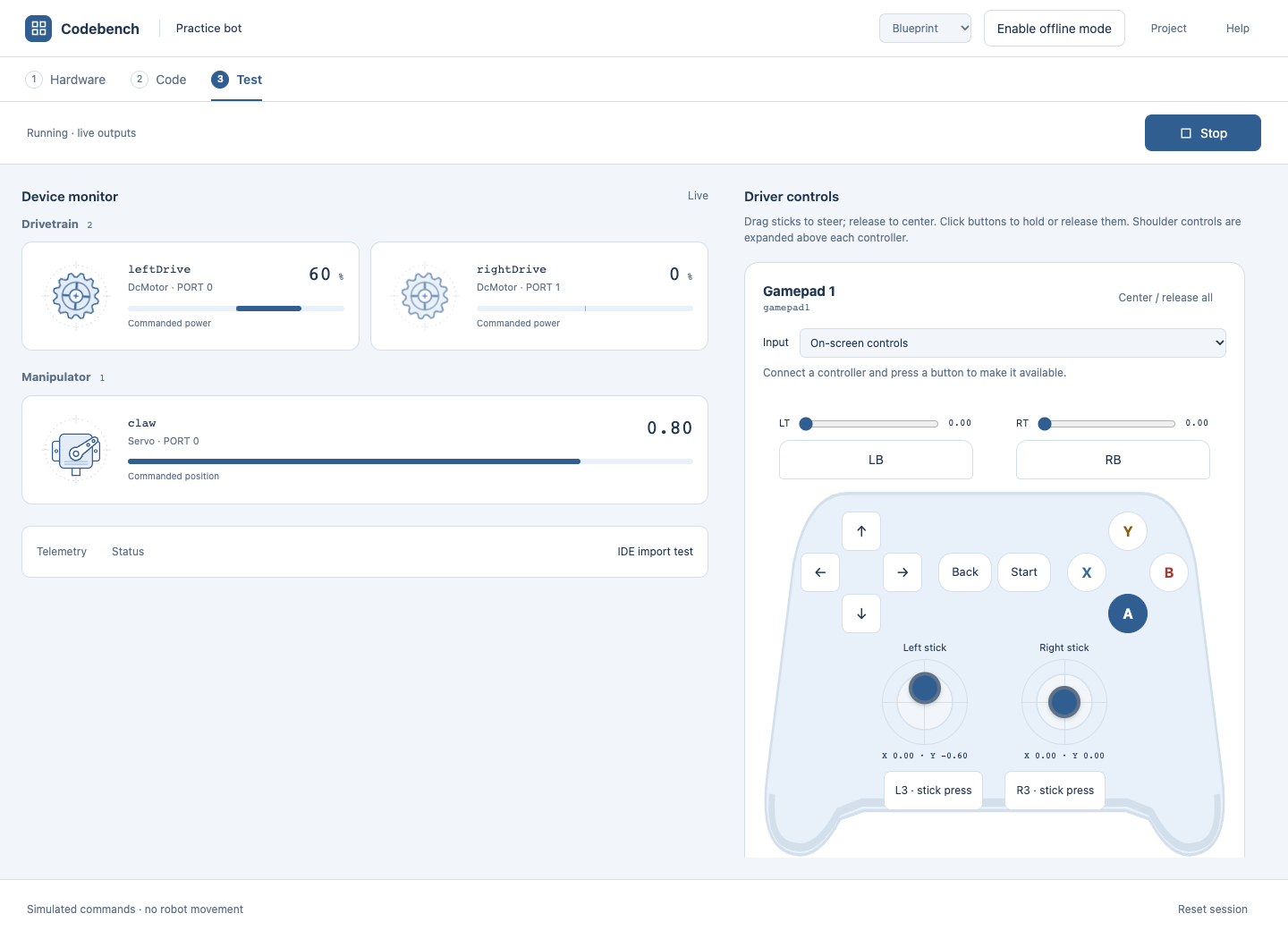
03 / TEST
Test motor and servo commands.
Initialize and start your OpMode. Use on-screen controls, a keyboard, or a standard gamepad to check motor
power, servo positions, and telemetry without a robot.
Visualize your code moving the right motors and servos.
See commanded values change as you operate the gamepad.
USE YOUR CODE ON THE ROBOT
Export or copy your code into OnBot Java.
Write your OpMode here without a robot. When your robot is available, transfer the
Java source to OnBot Java.
1
Export a Java file
Choose Project → Export Java to save your OpMode as a Java source file. Upload it into OnBot Java when
connected to your robot.
2
Or copy and paste
Copy the source from the Code editor and paste it into a file in OnBot Java. Match the file name to
your public class name.
3
Build and test on your robot
Match the real robot’s configured device names to your hardwareMap lookups, build in OnBot Java, and
test on the robot. Copy the code back from OnBot Java to continue programming without the robot.
SIMULATION LIMITS
Hardware commands, without robot physics.
Codebench shows what your program tells motors and servos to do. It doesn’t model physical motion,
collisions, or real sensor feedback.
Some sensor, vision, and Android APIs will not actually be simulated and simply use compatible defaults. FTC
Codebench lets you still write code and verify
successful compilation, but these APIs will need real hardware.
Do I need to download anything or install Android Studio?
No manual downloads, Java installation, or Android Studio setup are required. Open Codebench in your
browser. It loads the editor and Java runtime automatically; the first compilation needs internet and may
take a minute. No account is required.
How do I move my code into OnBot Java?
Use Project → Export Java and upload the source file into OnBot Java, or copy the code from the editor and
paste it into OnBot Java. You’ll need to connect to your robot to build and run it there. Your simulated
hardware map is not transferred; configure matching device names on the real robot.
Where are my projects stored?
In this browser’s storage on this device. There’s no cloud sync. Export a project backup before clearing
browser data, changing devices, or switching browsers.
Does it work offline?
Use Enable offline mode inside the app while connected online to download necessary resources. Offline
editing is supported; offline Java
preparation is experimental. Once prepared, you can continue programming without internet access.
Can I run my entire robot project?
The alpha supports one Java source file with one public OpMode and optional helper classes, using its
supported FTC API subset. It isn’t a full Android or Gradle build. The in-app SDK guide explains the
supported behavior and compatibility defaults. Multi-file projects are not supported.
Is this an official FIRST product?
FTC Codebench is an independent learning tool and is not affiliated with or endorsed by FIRST. FIRST and
FIRST Tech Challenge are trademarks of FIRST.